Main page
What is WinSSR?
WinSSR is a Windows port of SimpleScreenRecorder, screen recorder for Linux written by Maarten Baert. The Windows port was ported by Sectorfive.
The goal is the same as the original: a recorder that is just simple to use, but still powerful when you need it to be. It's "simple" in the sense that it's much easier to use than OBS, ffmpeg or VLC, because it has a straightforward user interface with sensible defaults and tooltips for almost everything.
Everything looks and works like the program you may already know from Linux, with the Linux specific parts replaced by their Windows equivalents (DXGI screen capture, WASAPI audio, Win32 hotkeys).
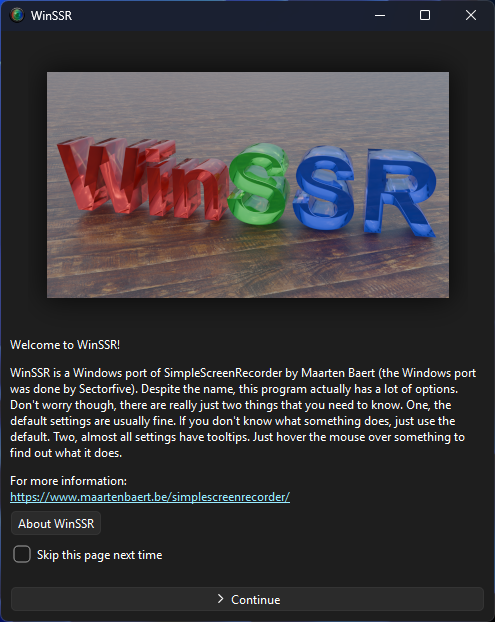
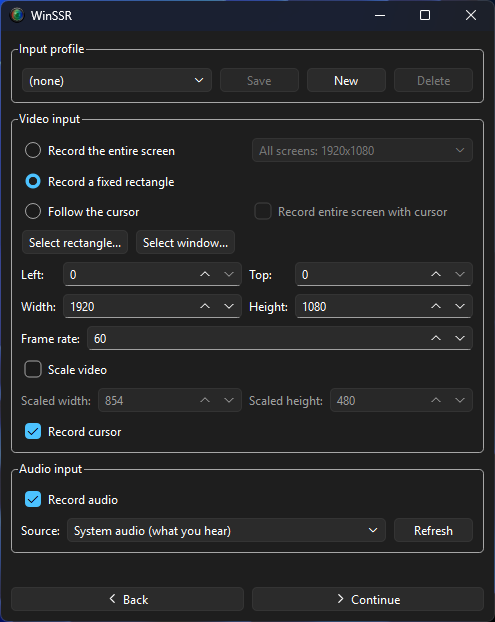
Screenshot of WinSSR:
Example recording:
What did the port take?
It was moderately hard. A lot of small headers needed to be fixed to work on Windows, and the program had to talk to the Windows API for audio, screen sizes, system info and so on. The path handling needed changing too, since it expects Linux paths.
The X11 and OpenGL grabs were replaced with DXGI desktop duplication, hotkeys now use the Win32 RegisterHotKey call, and translations load through the Windows locale instead. OpenGL injection, JACK and PipeWire had to be dropped wherever they were referenced. The build config was just retargeted to Windows, it now uses msys2, mingw, qt6 and the ffmpeg dlls. I also forked the installer lite written in Rust and included it in the project, so a compiled build gets bundled into a normal Windows setup program.
Features
-
Graphical user interface (Qt-based).
-
Faster than VLC and ffmpeg.
-
Records the entire screen or part of it, using DXGI Desktop Duplication (GPU accelerated) with a GDI fallback.
-
Interactive 'Select rectangle...' and 'Select window...' overlays that work anywhere on the screen, with a live highlight of the picked window.
-
Synchronizes audio and video properly (a common issue with VLC and ffmpeg).
-
Reduces the video frame rate if your computer is too slow (rather than using up all your RAM like VLC does).
-
Fully multithreaded: small delays in any of the components will never block the other components, resulting is smoother video and better performance on computers with multiple processors.
-
Pause and resume recording at any time (either by clicking a button or by pressing a hotkey.
-
Shows statistics during recording (file size, bit rate, total recording time, actual frame rate, ...).
-
Can show a preview during recording, so you don't waste time recording something only to figure out afterwards that some setting was wrong.
-
Uses ffmpeg libraries for encoding, so it supports many different codecs and file formats.
-
Recording schedule, system tray icon and a synchronization diagram for debugging.
-
Sensible default settings: no need to change anything if you don't want to.
-
Tooltips for almost everything: no need to read the documentation to find out what something does.
-
Self contained: the installer or the portable folder includes everything needed, no extra runtimes required.
Download
WinSSR runs on 64-bit Windows 8 and later. Pick whichever way you prefer:

|
Installer |
Download and run WinSSR-Setup-0.4.4.exe, then follow the prompts. It installs to C:\Program Files\WinSSR by default (you can pick another folder), asks for administrator privileges once, and creates a desktop and a Start menu shortcut with the WinSSR icon. |
|
Portable |
Just copy the whole |
|
From source |
The source builds with MSYS2/MinGW-w64, Qt 6 and FFmpeg. In an MSYS2 MinGW 64-bit shell run: cd ssr cmake -G Ninja -B build -DCMAKE_BUILD_TYPE=Release cmake --build build deploy.bat This builds |
|
Original (Linux) |
Looking for SimpleScreenRecorder on Linux? Get it from the official project page: |
License

WinSSR is distributed under the terms of the GNU General Public License. The original SimpleScreenRecorder source code is copyright (c) 2012-2020 Maarten Baert; the Windows port is copyright (c) 2026 Sectorfive.
The installer is based on installer-lite by DjkA.